
One workplace. Real people. AI coworkers. Work happening live.
Your team's work is spread across chat, timers, meetings and AI agents. Live Office puts the people and the activity on one floor, so you can see who is in, what is running and who to reach.
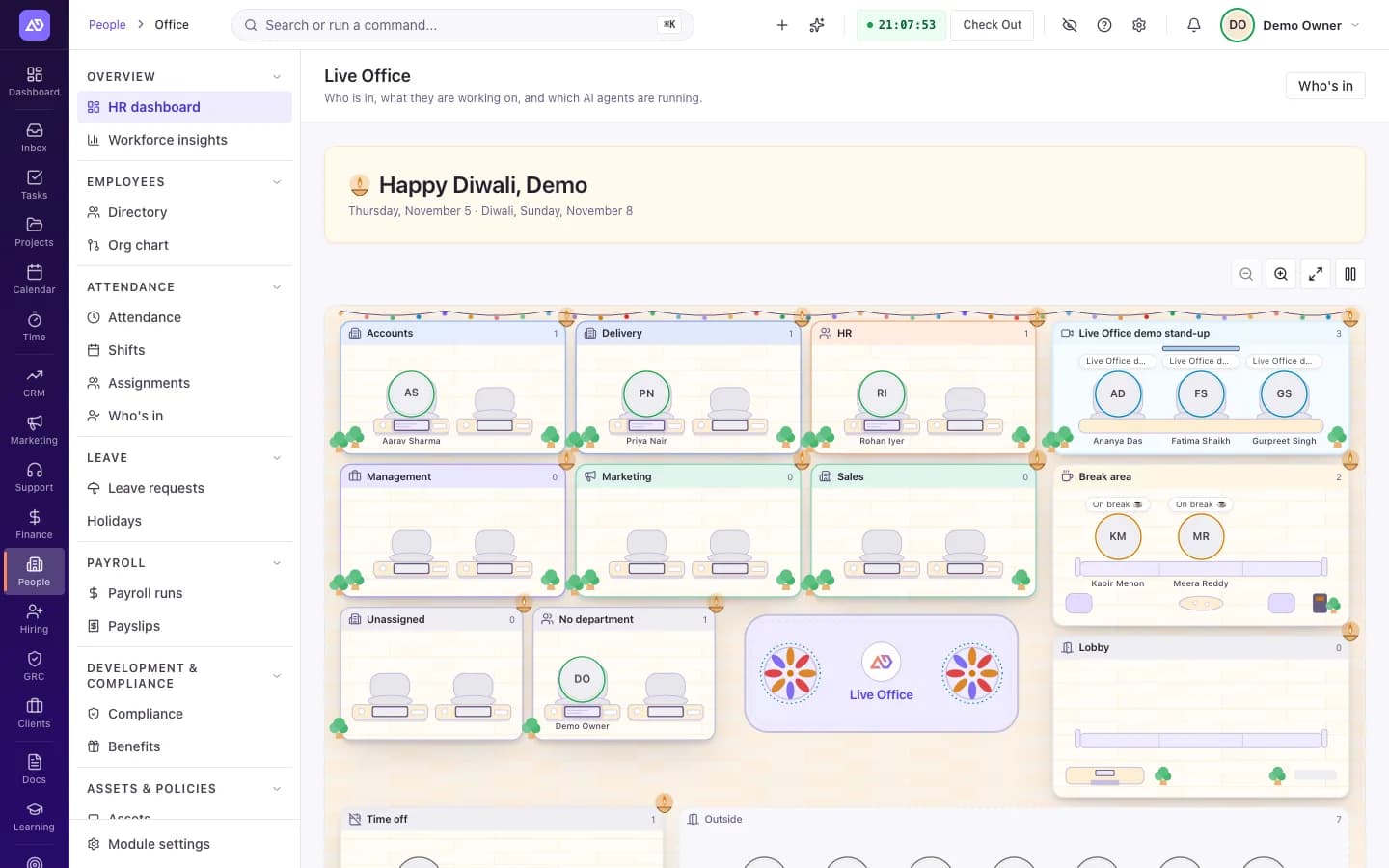
See the whole team at a glance.
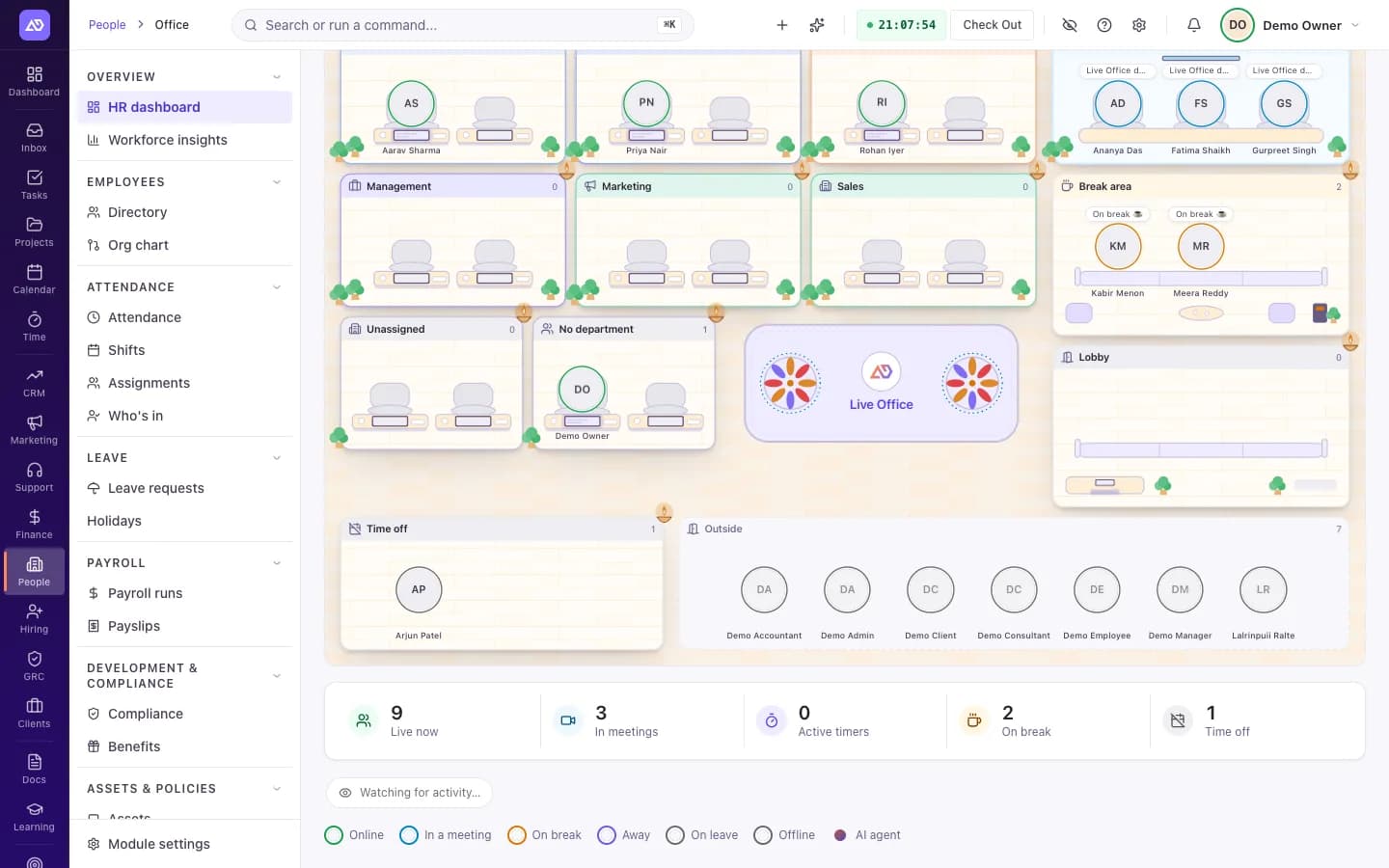
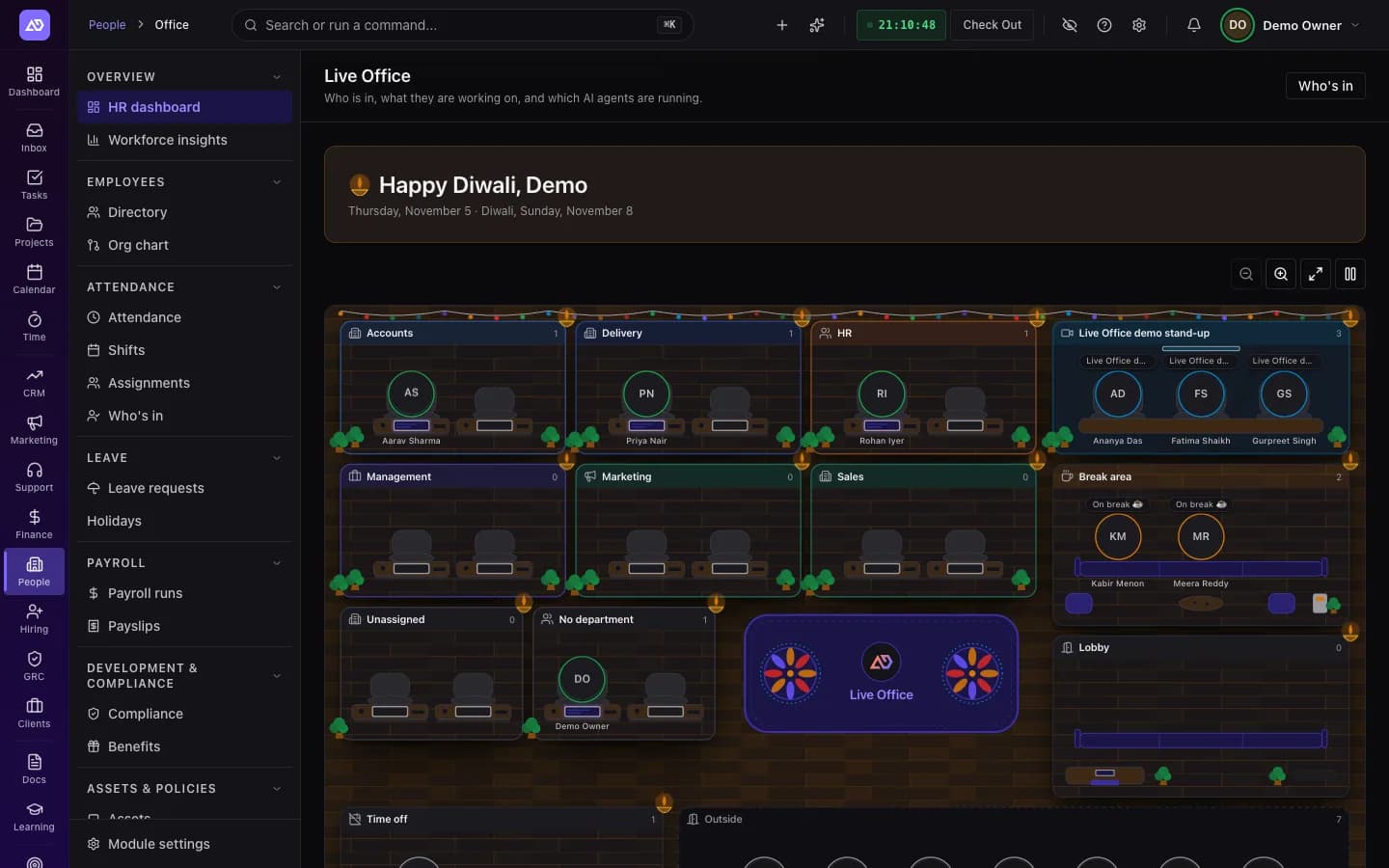
Each department is a room. People move between rooms as their status changes. Stats under the floor count who is live, in meetings, with timers running, and on break.
Rooms by department
Finding out who is around shouldn't take a message in three apps.
Every department gets a room. Each person appears in the room that matches their live status.
Live status and timers
Checking status by hand means asking around.
Checked in, on break, in a meeting, away or offline, shown as it changes. Running timers show when they started.
Meetings
Calls happen, and nobody knows who is on them.
Each live meeting gets its own room, with the people who have joined. Private meetings show only "In a meeting".
AI agents at work
AI agents do real work, but their status is hard to see.
Agents sit in their manager's department, or in the Digital team room if they have none. Each one shows whether it is working, waiting for a runner, needs you, or is idle.
Act from the floor.
Select a person or an agent to open their details.
Message / Chat
Open a direct chat with a person.
Join meeting
Join a live meeting you are part of.
Profile
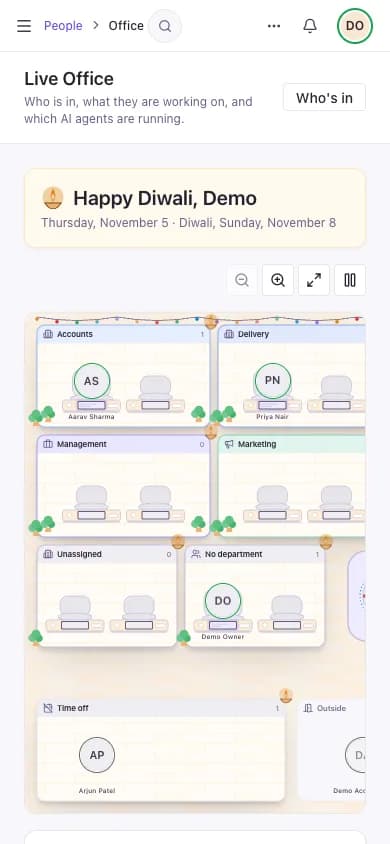
On narrower floors, open a person's team profile from the side panel.
Open agent
Open the agent's page and its run status.
Live Office goes where your team already works.
The full floor in HRMS.
An Office tab on the Organization page.
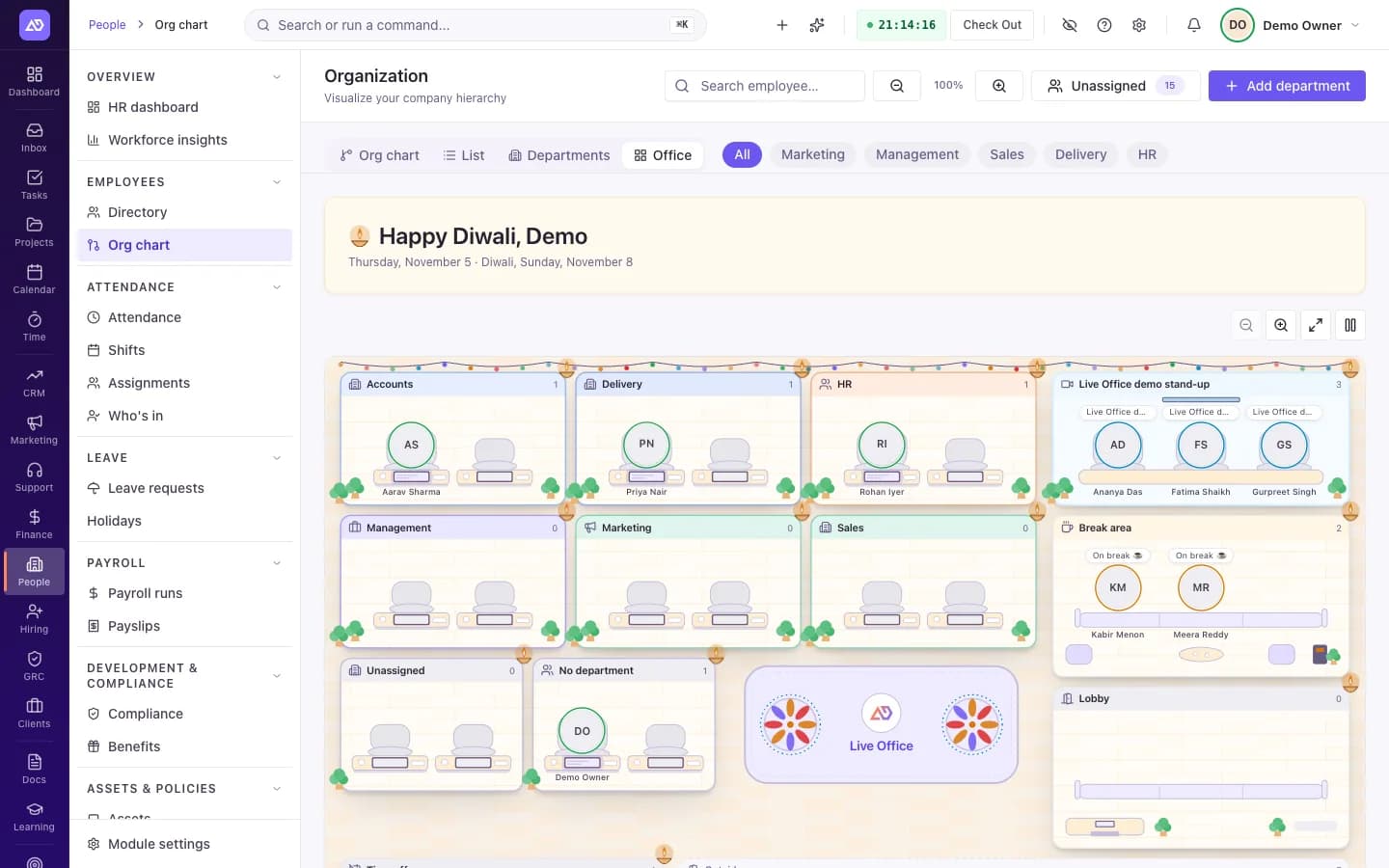
The Office tab on the Organization page. Demo workspace, sample data. A Live Office widget for your dashboard.
A compact strip on the Time dashboard, Timers and Employees pages, with an "Open Live Office" link.
Shows people's status. Keeps the details private.
Task and project names follow your Team timers access. Everyone else sees "Working on a task".
Time off is visible to owners, admins and managers only. Everyone else sees the person as away.
Messages: the floor shows that a message was sent, never what it says.
Private meetings show no title and no attendee list.
An AI agent's task text is shown only to its owner, the person it reports to, and people with workspace-wide timer access.
Clients and other external roles don't see the floor.
Three steps to a live floor.
Turn on HRMS.
Live Office runs inside HRMS. It needs the HRMS module on for your workspace.
Work as usual.
Your team checks in and starts timers the way they already do. The floor reads that data.
Open the floor.
It refreshes every 10 seconds while the tab is open.
Frequently asked
Related modules
Stop running your company on scattered tabs.
Get the AI-native operating system built to replace your stack — designed to get you running fast.