


How Team Collaboration Tools Are Transforming Online Task Management

 Jul 07,2026
  By Namrata Indalkar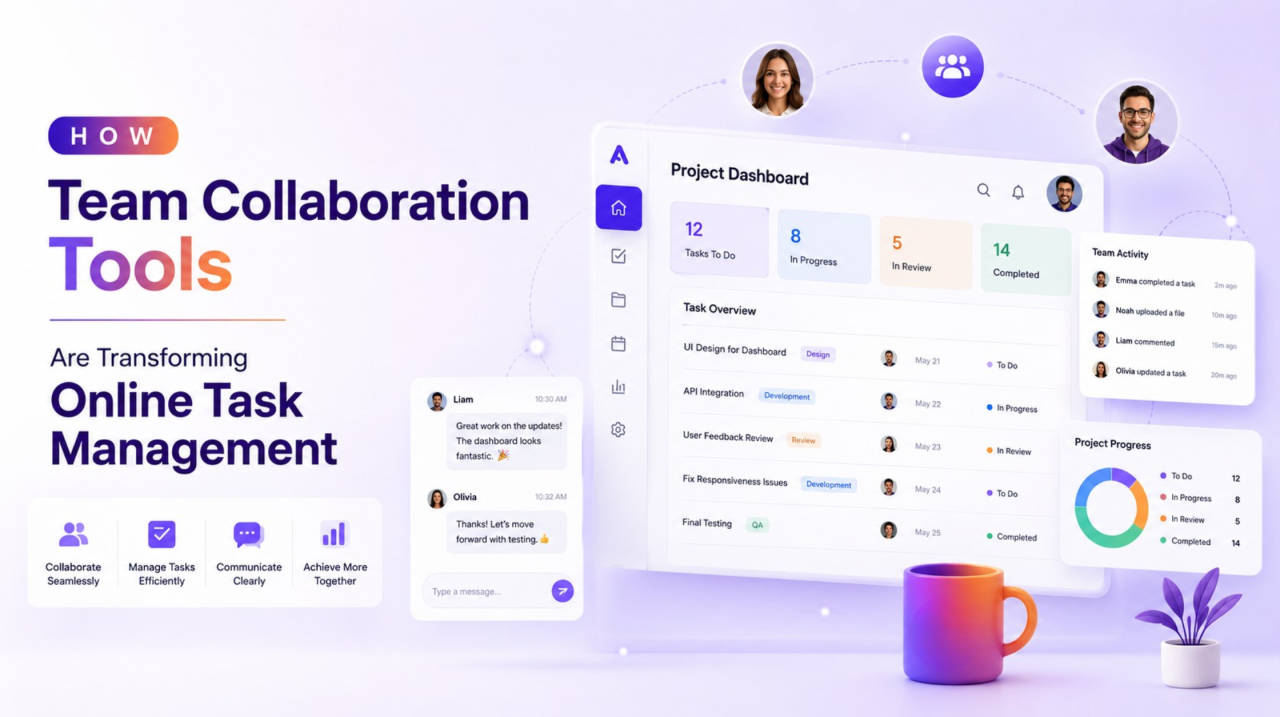
Modern businesses no longer operate from a single office or rely on face-to-face meetings to get work done. Teams are spread across different cities, countries, and time zones, making effective communication and coordination more important than ever. Emails, spreadsheets, and endless messaging threads are no longer enough to manage projects efficiently.
This is where team collaboration tools have become an essential part of daily business operations. They provide a centralized workspace where teams can communicate, assign tasks, track progress, share files, and work together in real time. Instead of switching between multiple platforms, employees can manage everything from one place.
As organizations continue embracing hybrid and remote work models, investing in the right collaboration platform has become a strategic decision rather than just a technology upgrade. Businesses that adopt modern collaboration solutions often experience faster project completion, improved transparency, and stronger teamwork.
Let’s explore how team collaboration tools are reshaping online task management, improving workplace efficiency, and helping organizations build more productive teams.
What Are Team Collaboration Tools?
Team collaboration tools are digital platforms designed to help employees communicate, organize work, manage projects, and collaborate regardless of location.
These platforms combine multiple functions into one solution, including:
- Task assignment
- Team messaging
- Document sharing
- File storage
- Project tracking
- Calendar management
- Workflow automation
- Progress reporting
- Video meetings
- Notifications
Instead of relying on separate software for every activity, organizations can streamline operations through one integrated workspace.
Whether managing a small startup or a large enterprise, these platforms simplify online task management while keeping everyone aligned with project goals.
Why Businesses Need Better Online Task Management
As businesses grow, managing work manually becomes increasingly difficult.
Common challenges include:
- Missed deadlines
- Duplicate work
- Poor communication
- Lost documents
- Unclear responsibilities
- Lack of project visibility
- Delayed approvals
Without structured online task management, projects often become disorganized, reducing overall productivity.
Modern collaboration platforms solve these problems by creating transparency across departments and ensuring every team member knows exactly what needs to be done.
How Team Collaboration Tools Improve Productivity
One of the biggest reasons companies adopt team collaboration tools is to improve overall productivity.
Instead of spending hours searching for updates or following up through emails, employees have instant access to project information.
Benefits include:
Faster Communication
Real-time messaging reduces unnecessary emails and allows quicker decision-making.
Clear Task Ownership
Every task has an owner, deadline, priority level, and status.
This eliminates confusion about responsibilities.
Centralized Information
Documents, comments, approvals, and project discussions remain organized in one location.
Reduced Manual Work
Automation handles repetitive tasks such as reminders, approvals, notifications, and recurring assignments.
Better Time Management
Employees spend more time completing work rather than searching for information.
The Role of Workflow Management in Modern Teams

Every organization follows processes.
These may include:
- Content approvals
- Software development
- Marketing campaigns
- Client onboarding
- Sales pipelines
- HR recruitment
- Invoice approvals
Without structured workflow management, these processes often slow down due to manual coordination.
Team collaboration tools automate workflows by moving tasks from one stage to another automatically.
For example:
- Draft completed
- Manager notified
- Review approved
- Design assigned
- Client receives update
- Project marked complete
This automation minimizes delays while improving consistency across teams.
Features That Make Team Collaboration Tools Effective
Successful collaboration platforms include several powerful features.
Task Management
Create tasks, assign responsibilities, set deadlines, and monitor completion.
This improves online task management while ensuring accountability.
Shared Workspaces
Teams can access the same project dashboard, making collaboration easier.
Everyone stays updated without asking for progress reports.
File Collaboration
Employees can upload documents, images, presentations, contracts, and spreadsheets in one location. Version control ensures everyone works on the latest file.
Real-Time Communication
Built-in chat, comments, mentions, and video conferencing reduce communication gaps.
Progress Tracking
Managers can monitor project completion through dashboards, Kanban boards, timelines, and Gantt charts.
This supports better workflow management.
Calendar Integration
Meeting schedules, milestones, and deadlines stay synchronized.
Enhancing Project Collaboration Across Departments
Businesses rarely operate in isolated departments.
Marketing depends on design.
Sales relies on marketing.
Finance coordinates with operations.
HR supports every department.
Strong project collaboration ensures everyone works toward shared objectives.
Modern collaboration platforms allow cross-functional teams to:
- Share updates instantly
- Collaborate on documents
- Track dependencies
- Resolve issues faster
- Approve work efficiently
- Maintain project transparency
This improves teamwork while reducing project delays.
Supporting Remote and Hybrid Workforces
Remote work has permanently changed how businesses operate.
Distributed teams require reliable digital collaboration.
Team collaboration tools provide remote employees with:
- Equal access to information
- Instant communication
- Virtual meetings
- Shared documents
- Project dashboards
- Task notifications
- Cloud accessibility
Employees remain connected regardless of location.
This creates a more flexible and efficient workplace.
Improving Accountability Through Transparency
One of the biggest advantages of modern collaboration software is visibility.
Managers no longer need to ask:
- Who is working on this?
- When will it finish?
- Why is this delayed?
Every project includes:
- Assigned owner
- Due date
- Current status
- Activity history
- Comments
- Attachments
- Progress updates
This transparency increases accountability while reducing unnecessary meetings.
How Automation Simplifies Workflow Management
Automation is becoming a major advantage of today’s collaboration platforms.
Examples include:
- Automatic reminders
- Deadline notifications
- Task creation
- Approval routing
- Status updates
- Email alerts
- Recurring projects
Instead of manually updating spreadsheets, the software handles repetitive work automatically.
Better workflow management allows teams to focus on strategic activities.
Data Security and Access Control
Businesses manage sensitive information daily.
Collaboration platforms provide security features such as:
- Role-based permissions
- Multi-factor authentication
- Data encryption
- Secure cloud storage
- Activity logs
- Backup systems
These capabilities protect company data while enabling secure project collaboration.
Benefits for Different Business Departments
Every department gains value from team collaboration tools.
Marketing Teams
- Campaign planning
- Content calendars
- Creative approvals
- Social media scheduling
Sales Teams
- Lead tracking
- Proposal management
- Client follow-ups
Human Resources
- Recruitment workflows
- Employee onboarding
- Performance reviews
IT Teams
- Bug tracking
- Sprint planning
- Development collaboration
Finance Teams
- Invoice approvals
- Budget tracking
- Internal requests
Unified collaboration improves operational efficiency throughout the organization.
Measuring Success with Team Collaboration Tools
Businesses should evaluate collaboration software using measurable metrics such as:
- Project completion rate
- Employee productivity
- Task turnaround time
- Workflow efficiency
- Team response time
- Customer satisfaction
- Resource utilization
- Deadline adherence
Regular performance monitoring helps organizations optimize processes over time.
Best Practices for Successful Implementation
Technology alone cannot improve collaboration.Organizations should also follow these best practices:
Choose the Right Platform
Select software that matches your team size, workflows, and business goals.
Train Employees
Provide onboarding sessions to ensure everyone understands platform features.
Standardize Processes
Create consistent workflows across departments.
Encourage Communication
Promote transparency through shared updates and regular collaboration.
Monitor Performance
Use dashboards and analytics to identify bottlenecks and improve efficiency.
The Future of Team Collaboration Tools
Collaboration technology continues evolving rapidly.
Future platforms will increasingly include:
- Artificial Intelligence assistance
- Predictive task recommendations
- Smart scheduling
- Automated reporting
- Voice collaboration
- Advanced workflow automation
- Real-time analytics
- Intelligent document management
As businesses become more digital, team collaboration tools will continue shaping how organizations manage work and deliver projects successfully.
Companies that embrace these innovations will be better positioned to improve productivity, strengthen project collaboration, and streamline online task management for years to come.
Conclusion
Effective teamwork depends on more than communication; it requires structure, visibility, and efficient processes. Team collaboration tools bring these elements together by centralizing communication, organizing tasks, automating workflows, and enabling seamless collaboration across departments.
From improving online task management to enhancing workflow management, increasing productivity, and supporting stronger project collaboration, these platforms have become indispensable for businesses of all sizes. As organizations continue adapting to remote, hybrid, and global work environments, investing in the right collaboration solution can lead to faster project delivery, better employee engagement, and sustainable business growth.
Frequently Asked Questions


 Jul 09, 2026

